CRICOS Provider Search: Find Australian Universities, Colleges and Active Courses in One Place
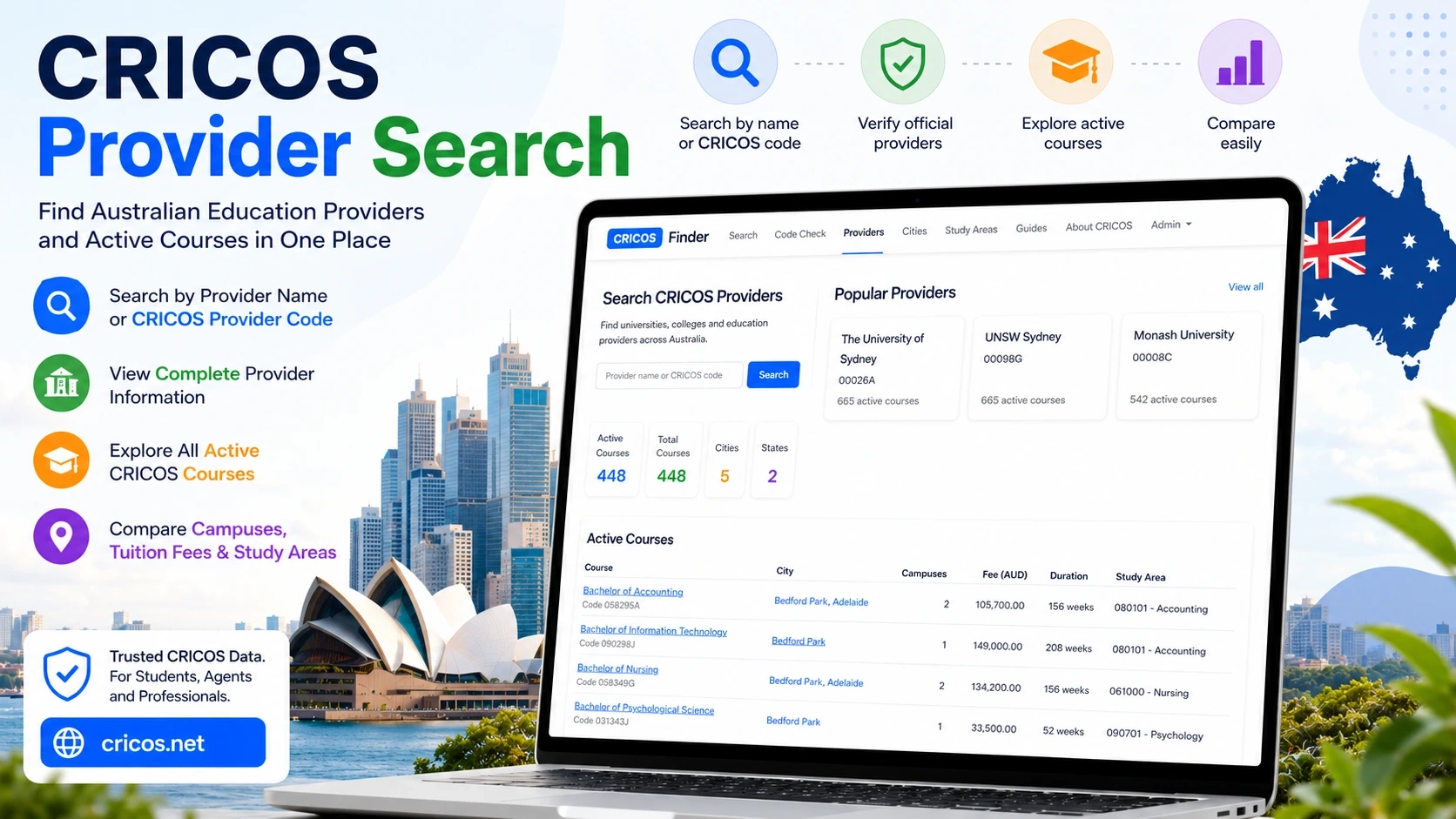
Finding accurate information about Australian education providers is harder than it should be.
Many international students search for universities by name, while agents and migration professionals often work directly with CRICOS provider codes. At the same time, official CRICOS data is spread across multiple pages and is not always easy to compare or analyze quickly.
To solve this problem, CRICOS Finder introduced a new Provider Search tool that allows users to search Australian CRICOS providers by provider name or CRICOS provider code, then instantly access the provider profile, campus locations, institution details and the full list of active CRICOS courses in one place.
The tool is designed for students, education agents, researchers and anyone who needs structured access to Australian CRICOS data.
What Is a CRICOS Provider Code?
Every Australian institution approved to teach international students receives a unique CRICOS provider code.
This code identifies the provider inside the CRICOS system and is commonly used in:
- student visa applications;
- educational consulting;
- migration documentation;
- course verification;
- provider validation.
Examples of CRICOS provider codes include:
Instead of searching manually through multiple databases, users can now enter the provider code directly into CRICOS Finder and immediately access the provider profile and all active courses linked to that institution.
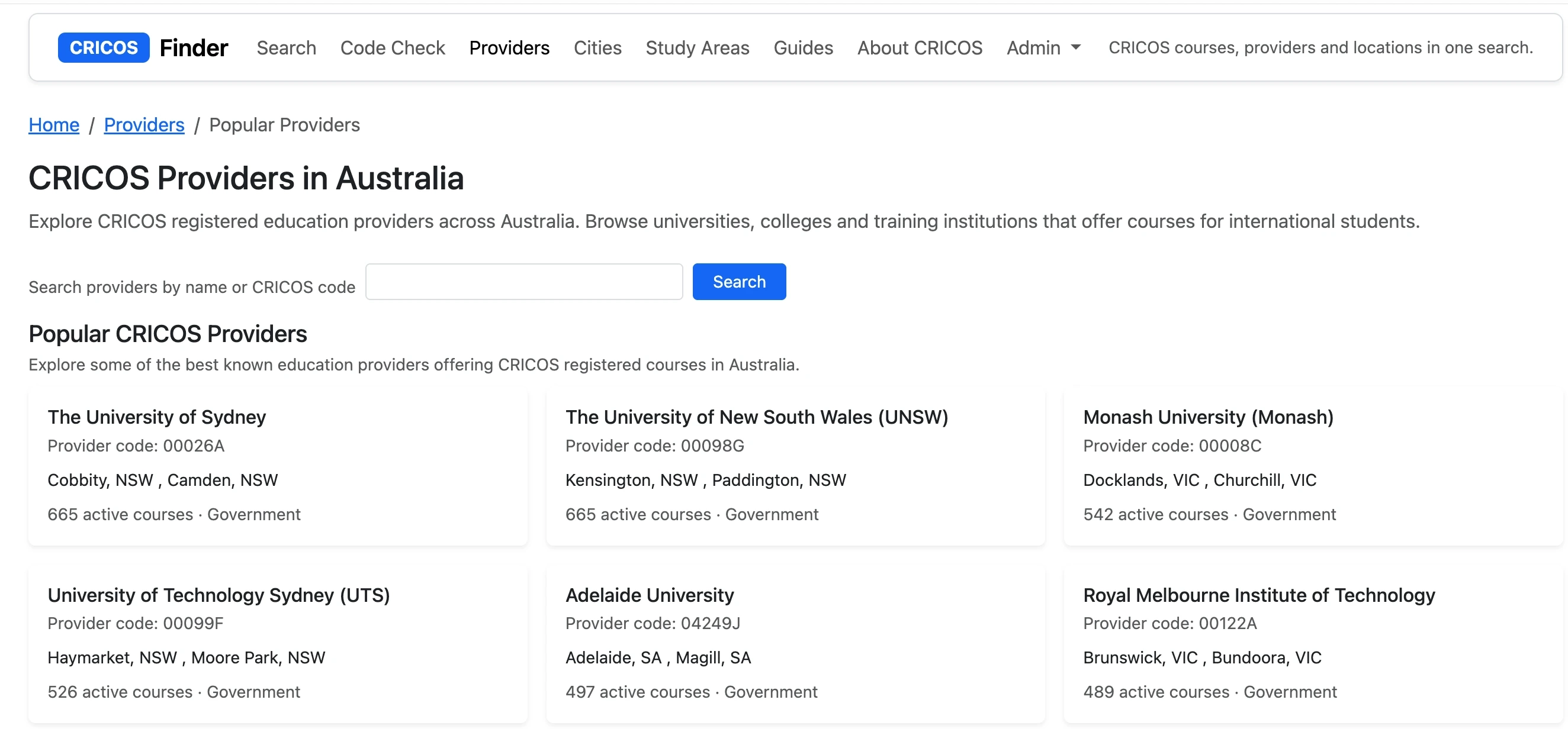
Search Australian Providers by Name or CRICOS Code
The new Provider Search supports two types of search:
Search by provider name
Users can search institutions using full or partial names such as:
- Monash;
- Sydney;
- Flinders;
- Adelaide.
This is useful for students exploring universities or colleges across Australia.
Search by CRICOS provider code
Users can also search directly by official provider code, including examples such as:
- 00114A;
- 00098G;
- 00026A.
This feature is especially useful for:
- migration agents;
- education consultants;
- compliance checks;
- provider verification.
The search is fast and works without registration.
Explore Complete Provider Profiles
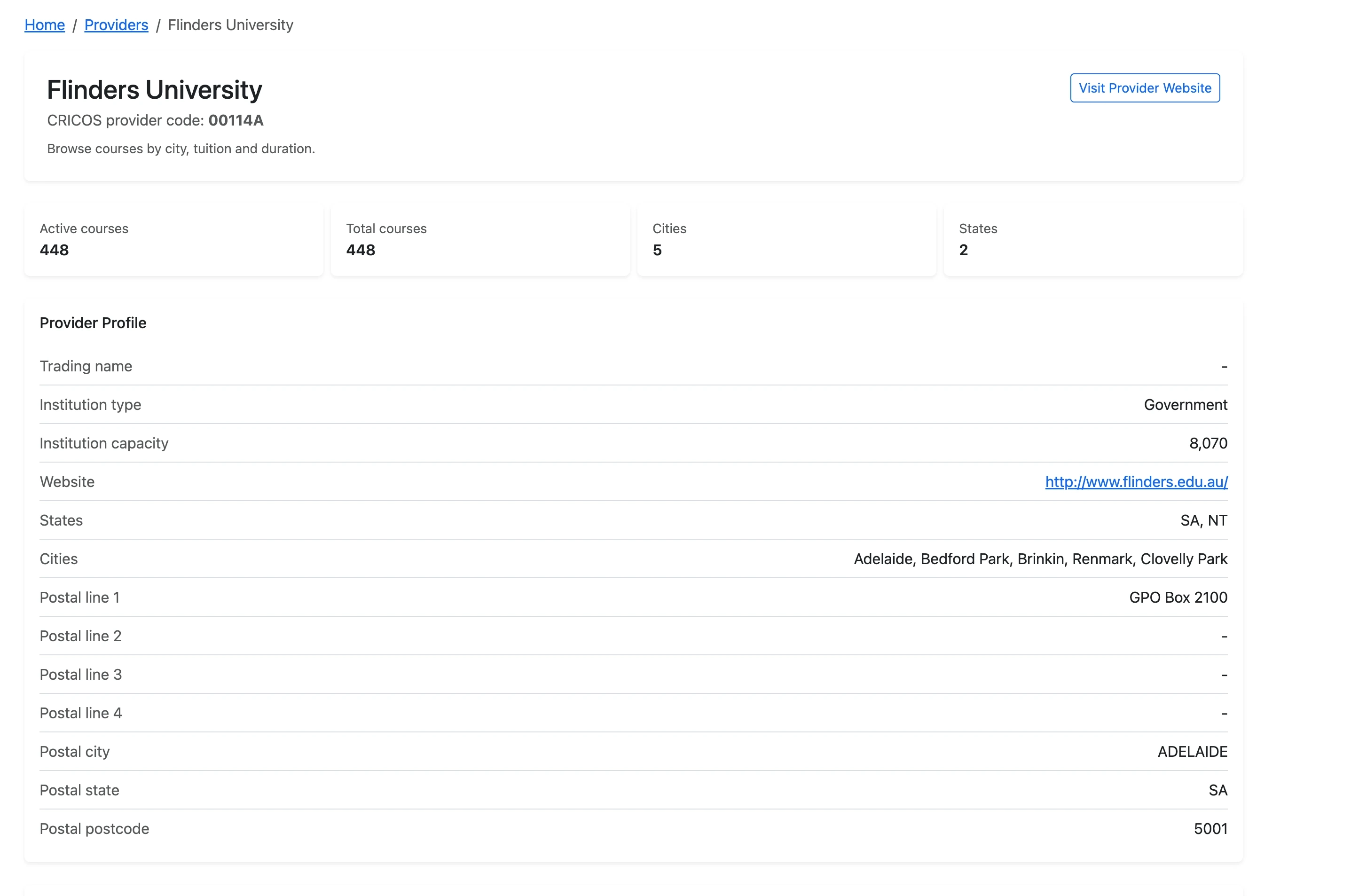
Each provider page includes structured information about the institution and its CRICOS registration.
Instead of navigating through multiple government pages, users can view everything on a single screen.
Provider information includes:
- provider name;
- CRICOS provider code;
- institution type;
- institution capacity;
- official website;
- registered states;
- campus cities;
- postal information.
The page also includes quick statistics such as:
- number of active courses;
- total courses;
- number of cities;
- number of states.
This creates a much clearer overview of Australian education providers than standard fragmented listings.
View All Active CRICOS Courses of a Provider
One of the most important features of the new Provider Search is the ability to see all active CRICOS courses connected to a provider.
The course table includes:
- course name;
- CRICOS course code;
- city;
- campus locations;
- tuition fees;
- course duration;
- study area classification.
For example, users can instantly compare:
- Bachelor programs;
- IT degrees;
- Accounting courses;
- Nursing programs;
- postgraduate studies;
- diploma pathways.
The system displays structured tuition and duration data, making it significantly easier to analyze Australian study options.
Why This Is Useful for International Students
Many students searching for Australian education providers want answers to practical questions:
- Is this provider officially registered?
- Which campuses are available?
- What active courses exist right now?
- How much does tuition cost?
- Which city offers the program?
The Provider Search helps answer these questions immediately.
Instead of manually checking multiple pages, users can compare active CRICOS courses directly inside the provider profile.
This is especially useful for students comparing:
- Adelaide vs Sydney;
- university vs college pathways;
- tuition differences;
- duration differences;
- study areas.
Useful for Education Agents and Migration Professionals
The tool is not only designed for students.
Education agents and migration professionals frequently work with CRICOS provider codes and need fast verification tools.
The new search system helps professionals:
- verify provider legitimacy;
- access active CRICOS data;
- compare institutions;
- check course availability;
- analyze provider locations.
Because the database is structured and searchable, it becomes easier to work with large numbers of providers and courses.
Compare Australian Universities More Efficiently
Traditional CRICOS searches are often difficult to compare at scale.
The new Provider Search makes comparison easier by organizing provider information into structured profiles and course tables.
Users can quickly compare:
- number of active courses;
- tuition ranges;
- available campuses;
- study areas;
- provider size;
- geographic coverage.
This turns CRICOS data into a practical research tool rather than a simple registry lookup.
Built for Real CRICOS Research
The Provider Search was designed around real-world usage scenarios.
Examples include:
- checking whether a provider is officially registered;
- exploring all active Accounting courses at a university;
- comparing tuition fees across institutions;
- finding providers operating in a specific city;
- reviewing course duration before applying for a student visa.
Because all active courses are connected directly to the provider profile, users can move from institution research to course exploration much faster.
A Better Way to Explore Australian Education Providers
Australian CRICOS data contains a large amount of valuable information, but navigating it efficiently can be difficult.
The new CRICOS Finder Provider Search simplifies this process by combining:
- provider search;
- provider verification;
- course discovery;
- tuition analysis;
- campus exploration;
- CRICOS code lookup.
Users can search by provider name or provider code, open a complete provider profile and immediately explore active CRICOS courses connected to that institution.
For students, agents and researchers working with Australian education data, this creates a faster and more structured way to explore the CRICOS system.